
Ultra Mobile
Experience affordable 5G prepaid with Ultra Mobile: free international calling, mobile hotspot, and no contract. now for easy account management.
Screenshots
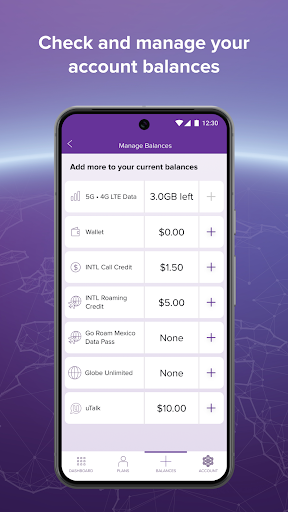
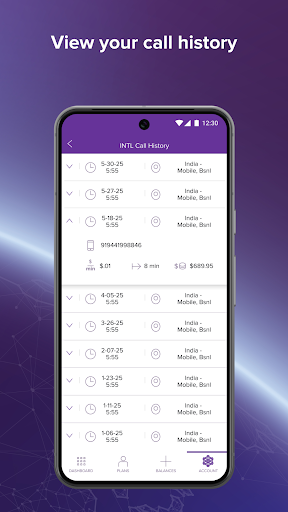
Download Ultra Mobile
You are going to be redirected to the official website to finish the download when you click the button below.
About Ultra Mobile
Ultra Mobile is a mobile app designed for managing your Ultra Mobile prepaid wireless account. This Android app allows you to check your balance, pay your bill, add international calling credit, and manage your plan settings directly from your device. The app experience focuses on simplicity and convenience for users.
Overview
Core Features
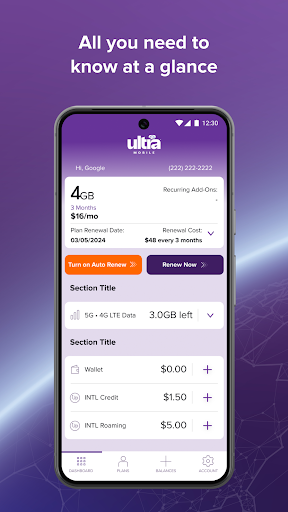
- Manage your calling, texting, and data usage right from the app dashboard.
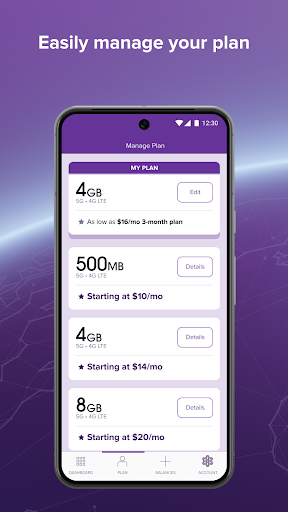
- Easily top up your account or change your plan with just a few taps.
- Track your data consumption in real-time to avoid unexpected charges.
- Access international calling rates and dial codes for over 100 countries.
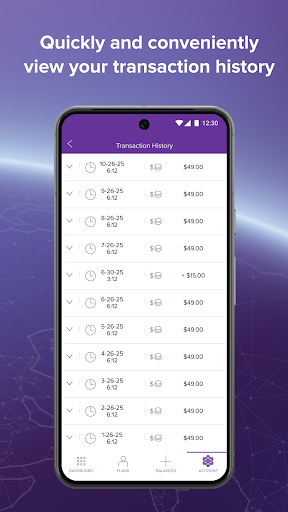
- View your full account history and past payment details anytime.
- Activate new service or a SIM card directly through the app based solution.
- Receive instant notifications about plan renewals and promotions.
- These app features make managing prepaid service simple and fast.
Who This App Is For
Ultra Mobile is built for budget-conscious users, including students, travelers, and young professionals, who prefer a prepaid mobile app with no long-term contracts. It also suits people who need reliable talk and text options without breaking the bank.
This app is ideal for those who want to monitor their spending closely and manage their calling all in one spot. International callers will find the clear rate comparisons especially useful for staying in touch without surprise fees. The overall app experience is straightforward for anyone new to prepaid plans.
Why Choose This App
This Android app gives you full control over your prepaid account without needing to visit a store or call customer service. You get instant access to plan changes, data tracking, and top-ups, all from your phone, which saves time and hassle.
What sets this app apart is its focus on prepaid simplicity and transparency. Users appreciate seeing exactly what they pay for and adjusting their service as needed. This app features clear navigation, making it a practical app based solution for managing mobile costs daily.
Features
All-in-one app for wireless management
Free calls to 90+ countries
No annual contract for flexibility
Select plans for optimal value
Manage account with real-time controls
Track balances to avoid surprises
Turn phone into hotspot for connectivity
Connect globally with free texting
Pros
- +Affordable entry-level plansStarts at $3/month for talk and text, making it one of the cheapest options for light users or secondary lines.
- +Global eSIM supportInstant activation and coverage in over 200 countries, ideal for travelers who need a local number without physical SIM swapping.
- +No credit check requiredSign up with just an email and payment, protecting your credit score and allowing anyone to join regardless of credit history.
- +Flexible plan customizationYou can mix and match add-ons like international calling packs or extra data, tailoring the plan to your exact needs.
- +Reliable T-Mobile network accessUses T-Mobile's nationwide 4G/5G infrastructure, delivering solid coverage in urban and suburban areas.
Cons
- -Data deprioritization during congestionHeavy network use can throttle speeds significantly; a temporary fix is switching to off-peak hours. Impact level: medium
- -No phone-based customer supportOnly live chat and email are available, which can be slow for urgent issues; official improvement is expected with a callback feature in 2025. Impact level: low
- -Expensive international data roamingPay-as-you-go roaming at $0.25/MB adds up quickly; a workaround is buying a local eSIM for data. Impact level: medium
- -eSIM activation may fail on some devicesIncompatibility with older or carrier-locked phones requires manual APN settings; Ultra promises broader device testing in future updates. Impact level: low
- -Auto-renewal reminder is easy to missNo push notification before billing, potentially causing unexpected charges; set a calendar reminder as a temporary solution. Impact level: low
FAQ
How do I log into the Ultra Mobile app?
To log in, open the mobile app and enter your phone number. You'll receive a verification code via SMS. Enter the code to access your account. If you have trouble, check that you're using the correct phone number associated with your Ultra Mobile account.
Can I use the Ultra Mobile app to activate my eSIM?
Yes, the Android app allows you to activate an eSIM directly from your device. After purchasing an eSIM plan, open the app, go to the eSIM section, and follow the on-screen instructions. Your device must be eSIM-compatible and connected to Wi-Fi.
What app features does Ultra Mobile offer for managing my plan?
The app features include checking your data usage, making payments, changing your plan, and adding international talk & text add-ons. You can also view your billing history and manage auto-pay settings. These tools make it easy to control your account from anywhere.
Is the Ultra Mobile app safe to use for payments?
Absolutely. The app uses encryption and secure tokenization to protect your payment information. Ultra Mobile follows industry-standard security practices to keep your data safe. For added trust, the app is regularly updated to address any vulnerabilities.
Why won't the Ultra Mobile app install on my phone?
Make sure your device runs Android 6.0 or higher and has enough storage space. Check that your Google Play Store is up to date. If the issue persists, try clearing the Play Store cache or restarting your phone before installing again.
How do I make international calls using the Ultra Mobile app?
After logging in, go to the 'International' tab within the app. You can buy an International Talk & Text add-on or use your existing plan's international minutes. The app experience for dialing is simple: just enter the number directly as you normally would.
Can I use the Ultra Mobile app with multiple lines?
Yes, the app supports managing multiple lines under one account. After logging in, you can switch between lines from the account dashboard. Each line's usage, plan details, and billing are displayed separately for easy tracking.
What should I do if the Ultra Mobile app shows no data usage?
First, refresh the app by pulling down on the usage screen. If it still shows zero, ensure your data is turned on and you have an active plan. Sometimes the app takes a few minutes to update after a new billing cycle starts.





