
Realtime Charts for Torque Pro
Monitor and analyze vehicle sensors with Realtime Charts for Torque Pro. now to visualize engine data in real-time for performance tuning.
Screenshots
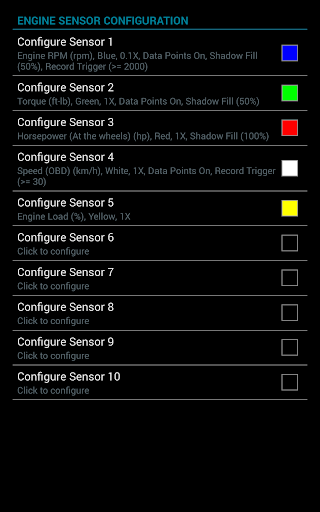
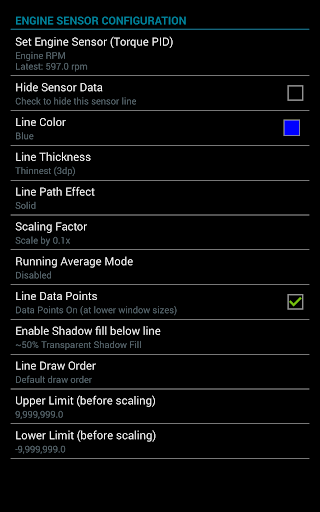
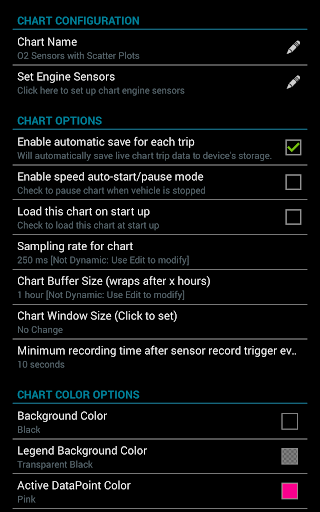
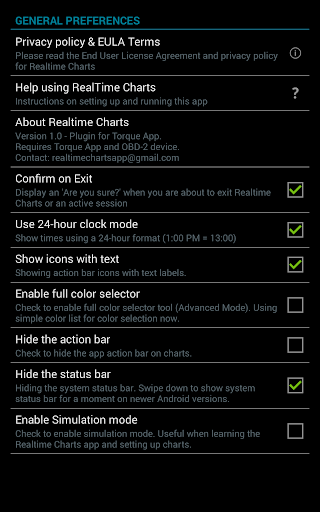
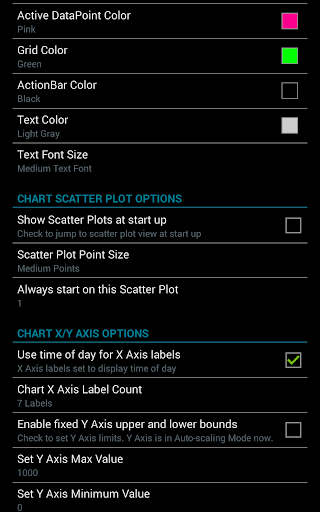
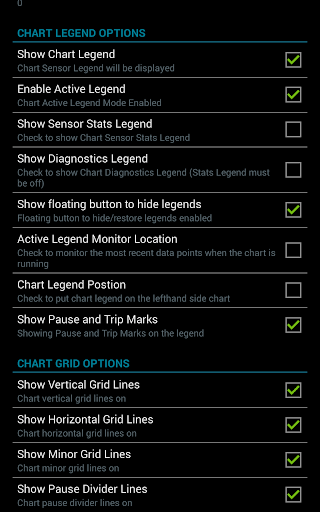
Download Realtime Charts for Torque Pro
You are going to be redirected to the official website to finish the download when you click the button below.
About Realtime Charts for Torque Pro
Realtime Charts for Torque Pro is a reliable Android app designed for car enthusiasts and vehicle owners who want to monitor their vehicle's performance in real time. This app provides accurate and detailed data visualizations, making it an essential tool for those seeking an enhanced app experience through an easy-to-use app based solution. Its main purpose is to display live engine metrics and sensor information conveniently on your mobile device.
Overview
Core Features
- The app features real-time data visualization, allowing users to monitor vehicle parameters instantly through customizable charts.
- Offers seamless integration with Torque Pro and other launcher apps, providing quick access to live vehicle metrics on your Android device.
- Includes offline mode support, enabling users to view historical data without needing an internet connection, enhancing usability in any situation.
- Supports multiple data sources and sensors, giving an extensive overview of engine performance, fuel efficiency, and other critical metrics.
- Intuitive interface designed specifically for automotive enthusiasts and mechanics, improving the overall app experience and usability.
- Provides detailed analytics and logging features, helping users track vehicle behavior over time for better diagnostics and maintenance.
- Offers customizable dashboards and alerts, ensuring users stay informed about their vehicle's health with an app-based solution tailored to their needs.
Who This App Is For
This mobile app is ideal for car owners, automotive enthusiasts, and mechanics who want to keep a close eye on their vehicle's performance data. Its user-friendly interface makes it suitable for both beginners and experienced users.
Whether you're diagnosing issues or simply monitoring your car's health, this app-based solution provides real-time insights, making it useful for everyday drivers and professional technicians alike.
Why Choose This App
This Android app stands out by offering a comprehensive set of app features designed for detailed vehicle analysis, all with a smooth app experience. Its reliable data synchronization and offline capabilities make it a trusted choice for vehicle monitoring.
By seamlessly integrating with Torque Pro and other launcher apps, it provides an efficient and effective way to access vital car data, making it a top pick among auto & vehicles apps for those seeking accurate, real-time information about their vehicle's status.
Features
Level 1: Transform vehicle data into insightful visualizations
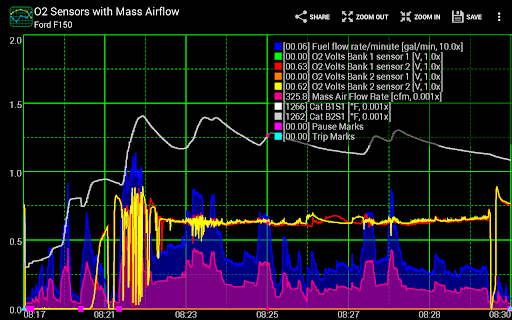
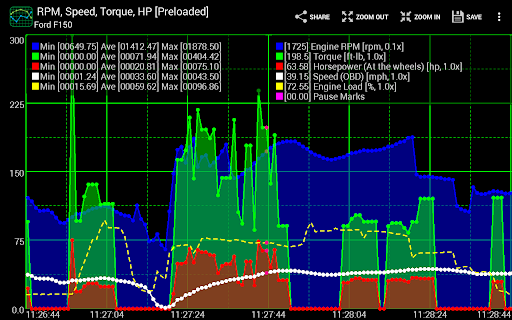
Level 2: Real-time dynamic graphing for instant feedback
Highlighting multiple sensor streams simultaneously
Level 3:
Create customizable vehicle charts for analysis
Monitor multiple engine parameters in real time
Export data for detailed diagnostics
Adjust visual settings for better clarity
Level 4:
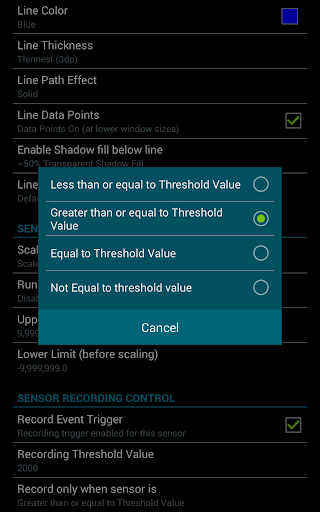
Initiate data capture based on specific conditions
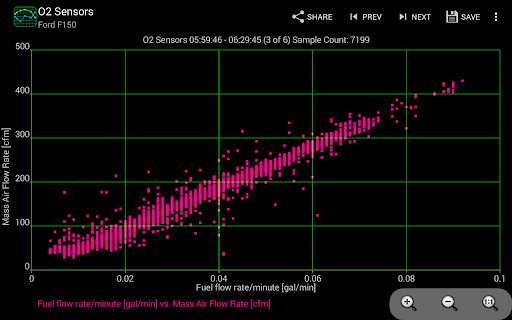
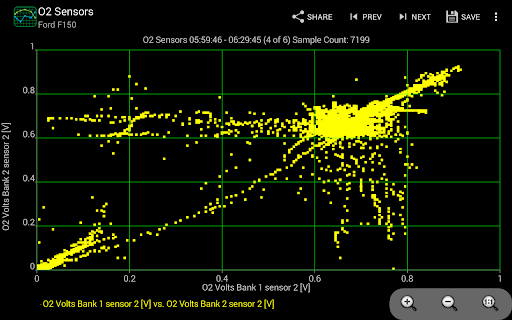
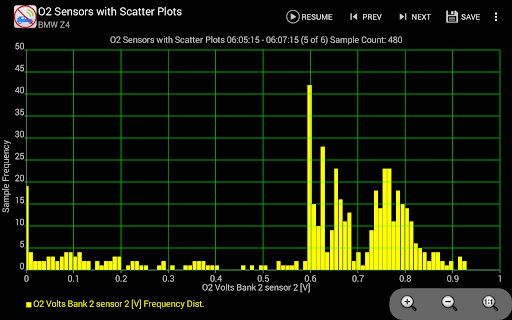
Perform scatter plot analysis for performance profiling
Pros
- +Real-time Data VisualizationProvides instantaneous graphical updates for vehicle parameters, enabling efficient diagnostics.
- +Highly Customizable ChartsAllows users to tailor charts to specific metrics like RPM, speed, or coolant temperature, enhancing usability.
- +User-Friendly InterfaceIntuitive layout makes it easy for both novice and experienced users to navigate and analyze data.
- +Supports Multiple Data SourcesIntegrates with various vehicle models and allows multi-source data display for comprehensive monitoring.
- +Low Latency DisplayEnsures minimal delay in data updates, critical for real-time performance assessment.
Cons
- -Limited Free FeaturesMany advanced charting options and customizations require a paid upgrade, which might deter some users.Medium
- -Occasional Connectivity IssuesUsers may experience disconnections between the app and vehicle OBD-II device, especially over Bluetooth.Medium
- -Variable Data Refresh RateRefresh rates can sometimes be inconsistent, which may lead to slightly outdated readings during rapid driving.Low
- -Limited Offline FunctionalityMost features rely on active connection; offline data analysis is restricted without prior data saving.Low
- -Learning Curve for Advanced FeaturesComplex customization options might require time to master, especially for users unfamiliar with vehicle diagnostics.Low





