
Radar, GPS & Speedometer
Enhance your driving safety with Radar, Speedometer, GPS, HUD app. Free now for accurate speed detection, radar alerts, and navigation assistance.
Screenshots
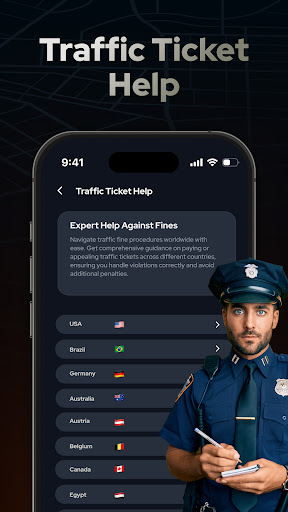
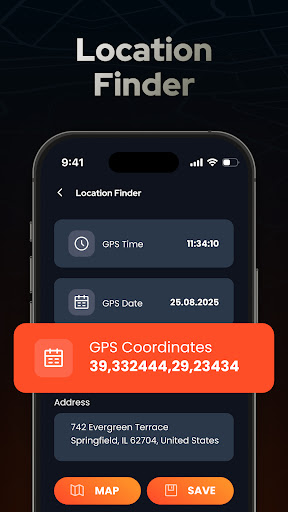
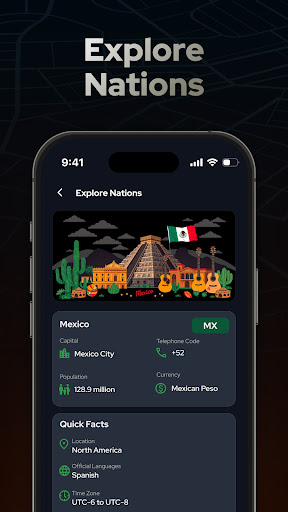
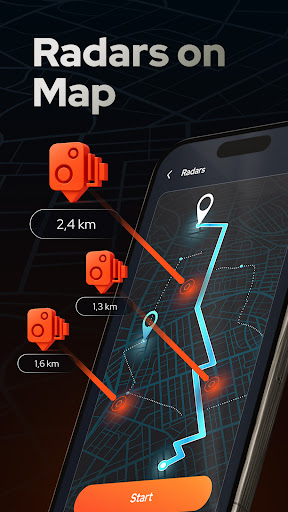
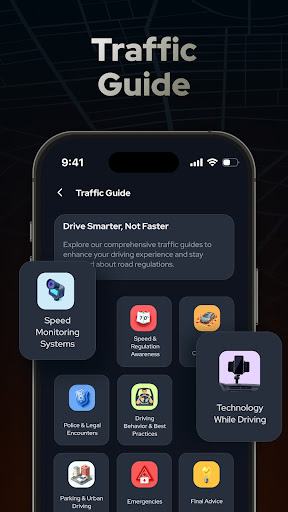
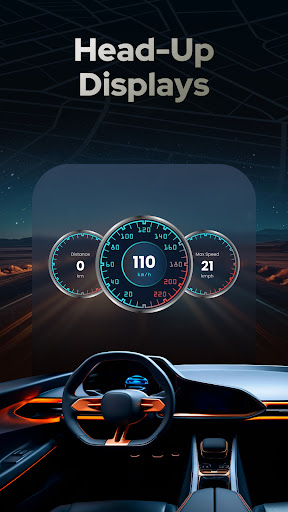
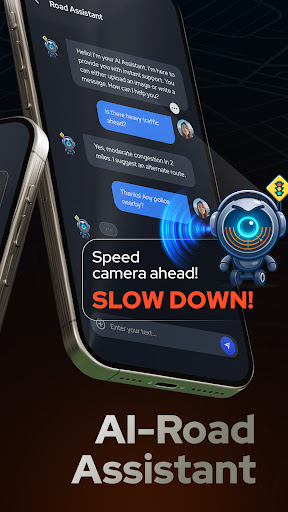
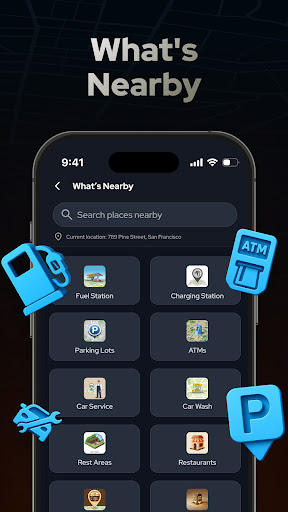
Download Radar, GPS & Speedometer
You are going to be redirected to the official website to finish the download when you click the button below.
About Radar, GPS & Speedometer
Radars, Speedometers, GPS, HUD is a versatile maps & navigation mobile app designed to enhance your driving experience. Available for Android devices, this app provides accurate speed measurement, real-time GPS tracking, and a heads-up display (HUD) feature that improves safety and convenience on the road. Its intuitive interface and reliable functionalities make it a popular choice for users seeking a comprehensive navigation solution.
Overview
Core Features
- The app features a precise speedometer that displays real-time speed, ideal for safe driving and cycling.
- GPS navigation enables accurate route tracking and turn-by-turn directions, ensuring you reach your destination effortlessly.
- The radar function alerts users to nearby speed cameras and potential hazards, enhancing safety during travel.
- Heads-up display (HUD) projects important driving info onto the windshield, providing an app experience that minimizes distractions.
- Offline mode allows navigation and speed monitoring without an internet connection, perfect for remote areas.
- Customizable layout options let users tailor the app features to fit their personal navigation preferences.
- The app acts as a reliable launcher app for your maps and navigation needs, combining multiple features in one seamless interface.
Who This App Is For
This mobile app is ideal for drivers, cyclists, and outdoor explorers who want reliable navigation and speed tracking on their Android devices. It suits users seeking an app-based solution for everyday travel safety and convenience.
Whether you're commuting, going on road trips, or exploring new areas, this app provides useful app features to enhance your app experience, especially in scenarios where GPS accuracy and real-time updates matter most.
Why Choose This App
This Android app combines robust features with an intuitive interface, making navigation safer and more efficient. It stands out with its accurate speed readings and offline capabilities, solving common travel hassles.
Designed for reliability and ease of use, it offers a comprehensive app-based solution for anyone who needs precise navigation and speed monitoring, delivering value that surpasses many alternative launcher apps and navigation tools.
Features
Enhanced Driving Awareness with Radar Alerts and Speed Monitoring
Accurate Location Tracking with GPS Navigation System
Clear Visual and Audio Warnings for Safer Driving
Hands-Free Speed Display with HUD Projection
Customizable Alerts for Personalized Safety Experience
Real-Time Route Guidance with Turn-by-Turn Navigation
Trip Logging and Route Sharing for Adventure Tracking
Distraction-Free Driving Support with Heads-Up Display
Pros
- +Accurate Speed MeasurementProvides real-time and precise speed readings, helpful for cautious driving.
- +Comprehensive GPS NavigationOffers detailed maps and route guidance, reducing the chances of getting lost.
- +Clear HUD DisplayProjects critical info onto the windshield for safer, heads-up driving without distraction.
- +Intuitive InterfaceUser-friendly design makes it easy to access and customize various features.
- +Real-time Radar AlertsProvides timely notifications of nearby speed traps or hazards, enhancing safety.
Cons
- -Battery DrainContinuous use of GPS and HUD features can significantly reduce device battery life.high
- -Limited Offline MapsSome features require an internet connection; offline map support could be improved.medium
- -Occasional GPS Signal LossGPS accuracy may fluctuate in tunnels or dense urban areas, causing brief inaccuracies.medium
- -HUD Brightness AdjustmentAutomatic brightness settings can sometimes be insufficient in very bright environments; manual adjustment is recommended.low
- -Limited Customization OptionsCustomization for alerts or display layout is somewhat basic; future updates may expand this.low
FAQ
How do I log into Radar, Speedometer, GPS, HUD app for the first time?
Getting started with this innovative mobile app is straightforward. Once you download the Radar, Speedometer, GPS, HUD app from your device's app store, you can create an account or sign in using your existing credentials. Setting up your profile allows you to access all the app features seamlessly.
Since it's an Android app, ensure your device is compatible and updated to support the latest version. Proper login ensures your app experience is smooth, with real-time navigation and speed data available immediately after setup, establishing trust and reliability for your travels.
Is the Radar, Speedometer, GPS, HUD app safe to use?
Yes, this app prioritizes user safety and data security, making it a trustworthy app solution for navigation needs. It complies with standard security protocols to protect your location and personal information while providing accurate GPS data.
Being a reputable mobile app, it has been tested for safety on Android devices and is regularly updated to fix vulnerabilities. Using such an app enhances your navigation experience without compromising your privacy or security.
What are the main app features of Radar, Speedometer, GPS, HUD?
This Android app is packed with features that improve your driving or outdoor activities. The speedometer displays your current speed in real time, while the GPS provides precise location tracking. The HUD mode projects navigation info onto your windshield for safer driving.
Additional features include route planning, distance measurement, and customizable alerts. These app features work together to offer an enhanced app experience that's both practical and easy to use, making it a popular choice among navigation and launcher app users.
Can I use this app offline when I don't have internet access?
Absolutely. One of the advantages of this mobile app is its offline capabilities. You can download maps and navigation data to your device, which allows you to use key app features without an active internet connection.
This makes it especially useful for outdoor adventures or traveling in areas with poor signal. The app provides a reliable app-based solution to stay on track, regardless of network availability.
Does the Radar, Speedometer, GPS, HUD app work well on all Android devices?
Most modern Android devices support this app well, but it's always good to check the required system specifications first. The app is optimized for a wide range of devices to ensure a smooth app experience.
If you experience any issues, updating your device's software or the app itself can usually resolve compatibility problems. Its widespread compatibility makes it a trustworthy app for various user needs, from casual navigation to professional speed tracking.





