
Photo Recover&Restore
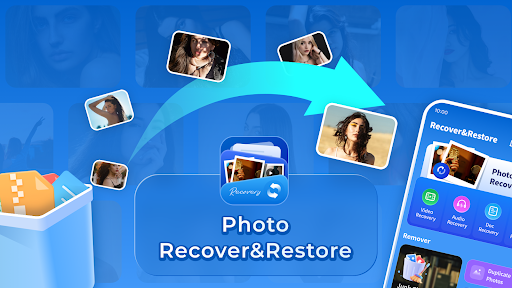
Photo Recover & Restore for quick, secure photo, video, and file recovery. Get the latest version now and recover your important memories with ease.
Screenshots



Download Photo Recover&Restore
You are going to be redirected to the official website to finish the download when you click the button below.
About Photo Recover&Restore
Photo Recover&Restore is a user-friendly mobile app designed to help users recover deleted photos and restore your precious memories with ease. Available for both Android devices and iOS, this app offers a seamless app experience, making photo recovery straightforward even for those with little technical skill. Its intuitive interface and reliable features make it an essential tool for anyone looking to restore lost images through an efficient app based solution.
Overview
Core Features
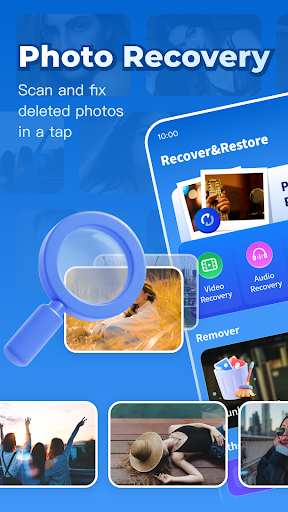
- The app features an intelligent photo and video recovery system that restores deleted files effortlessly.
- It offers a user-friendly interface with easy navigation, making it accessible for all skill levels.
- Includes advanced scan algorithms that quickly locate recoverable items from your Android device's storage.
- Supports previewing recovered photos and videos before saving, ensuring you get the right files.
- Provides secure and private recovery processes, ensuring your data remains confidential.
- Offers a dedicated restoration solution for missing media, making recovery simple even for beginners.
- Enables direct sharing of recovered files to social media or via messaging apps.
Who This App Is For
This mobile app is ideal for individuals who frequently lose important photos and videos on their Android devices, including casual users and professionals alike.
It serves those seeking a reliable app-based solution for recovering deleted media files quickly and efficiently, enhancing their app experience during moments of data loss.
Why Choose This App
This Android app stands out with its powerful recovery features, delivering fast and accurate results that other launcher apps often lack.
It offers an intuitive app experience, backed by a trustworthy recovery process, making it a preferred choice for anyone needing an app-based solution to retrieve lost media effortlessly.
Features
Simple Data Recovery Tool Focused on Data Security
Fast Local File Scanning for Privacy Protection
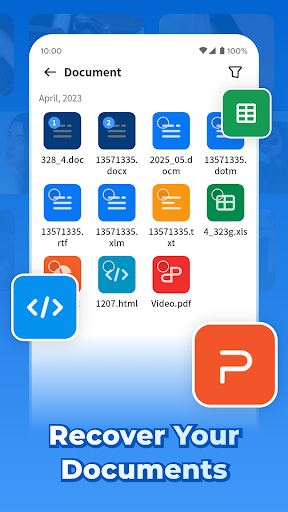
Accidentally Deleted Photos, Videos, Documents Recovery
One-Click Restoration of Lost Memories
Supports Multiple File Types for Flexibility
User-Friendly Interface for Easy Operation
Securely Restores Files Without Data Uploads
Applicable for Device Storage and Storage Media
Pros
- +Intuitive user interfaceEasy for users to navigate through recovery options without prior technical knowledge.
- +Supports a wide range of file formatsRecovers photos, videos, and other media files from various storage devices.
- +Deep scan featureEfficiently searches for recoverable files even after extensive data deletion.
- +Preview function before recoveryAllows users to view files to ensure their integrity prior to restoring.
- +Compatible with multiple devicesWorks with SD cards, external drives, and internal storage on Windows and Mac.
Cons
- -Slow scanning processLarge drives can take a significant amount of time to complete a deep scan, which may cause user inconvenience.medium
- -Limited recovery options in free versionFree users can only recover a few files; full recovery requires purchasing a license.high
- -Occasional false positivesSome recovered files may be corrupted or incomplete, especially with deep scans.medium
- -Lack of support for Android/iOS devicesCurrently optimized for PC storage, so mobile device recovery is limited; official updates are expected for broader support.low
- -Interface could be more customizableSome advanced users may find the interface too basic and would prefer more settings options.low
FAQ
Is it safe to use the Photo Recover&Restore app on my device?
Yes, Photo Recover&Restore is designed with user safety in mind. It comes from a reputable developer and adheres to strict privacy standards, ensuring your photos and data stay protected during the recovery process. You can trust this app as an app based solution that prioritizes security.
Additionally, it's available on official app stores like Google Play and the Apple App Store, which means it has undergone safety checks. Always ensure you download apps from trusted sources to keep your device secure and to enjoy a safe app experience.
How do I install Photo Recover&Restore on my Android device?
Installing this mobile app on your Android device is straightforward. Simply visit the Google Play Store using your device's default launcher app, search for Photo Recover&Restore, and follow the on-screen instructions. The app features an intuitive interface that makes setup quick and simple.
Ensure your device has enough storage space before installing. Because it's a popular launcher app among other photo recovery tools, the app provides a seamless app experience to help you restore lost photos effortlessly.
Can I use this app on my iPhone, and does it support the latest iOS versions?
Yes, Photo Recover&Restore is available on the Apple App Store and compatible with recent iOS versions. The app has been optimized to provide a smooth app experience on iPhones and iPads, making photo recovery quick and hassle-free.
Using the app on your iOS device offers reliable features tailored for Apple's ecosystem. Regular updates ensure compatibility with new iOS releases, giving users confidence in its stability and safety.
What kind of app features does Photo Recover&Restore offer?
This app features an efficient photo recovery engine that scans your device or storage for deleted images. It supports both Android and iOS platforms, making it versatile among mobile apps. The app features include quick scanning, previewing recoverable files, and restoring photos directly to your device.
Additional features such as background scanning and safe data handling make this app a comprehensive solution. Its user-friendly interface ensures that even those new to data recovery can navigate and use the app effectively.
How does Photo Recover&Restore improve my app experience compared to other recovery tools?
This app provides a reliable and user-friendly app experience by combining powerful recovery features with an easy-to-navigate interface. Its app based solution ensures fast performance and accurate recovery of deleted photos from both Android and iOS devices.
Compared to other tools, Photo Recover&Restore offers tailored features like quick scans and selective photo recovery, which help save time and reduce frustration. Its versatility as a launcher app for Android devices further enhances your overall app experience.
Is Photo Recover&Restore suitable for all types of photos and data?
Yes, this mobile app supports recovery of various photo formats including JPEG, PNG, and RAW images. It is designed to handle different data types stored on your device or external storage, making it a versatile app based solution for photo recovery needs.
Keep in mind that recovery success depends on how recently the photos were deleted and whether the data has been overwritten. For the best results, it's recommended to stop using your device immediately after data loss and use the app to scan and recover your files.
Are there any limitations or warnings I should be aware of when using Photo Recover&Restore?
While this app offers effective photo recovery, it's important to remember that not all deleted photos can be recovered if new data has overwritten the original files. Also, avoid installing the app on the same storage partition from which you're trying to recover files, to prevent accidental data overwriting.
Always use trusted app sources and keep your device's security features enabled. Although the app is designed to be safe and reliable, exercising caution during recovery operations helps ensure the best possible app experience and data safety.





