
Parental Control - Kroha
Secure your child's online activity with Parental Control - Kroha. now for comprehensive device monitoring, location tracking, and content filtering.
Screenshots
Download Parental Control - Kroha
You are going to be redirected to the official website to finish the download when you click the button below.
About Parental Control - Kroha
Parental Control - Kroha is a reliable Android app designed to help parents manage and monitor their children's device usage. With its user-friendly interface, this mobile app provides essential app features that enable parents to set restrictions, control screen time, and ensure a safe app experience for their children. It offers a comprehensive app-based solution for responsible device management within the parenting category.
Overview
Core Features
- The app features an intuitive dashboard that allows parents to easily monitor and control their child's device usage.
- Real-time sync keeps parents updated on app activity and screen time limits across connected devices.
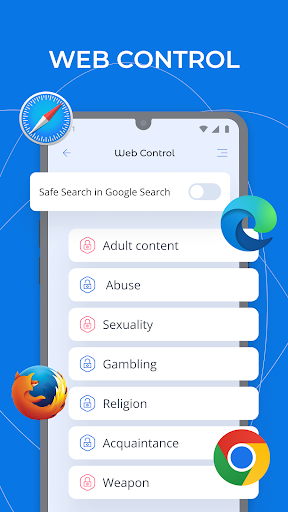
- Advanced content filtering ensures safe browsing by blocking inappropriate websites and apps.
- Flexible scheduling options enable parents to set specific times for device access, fostering healthy habits.
- Remote management through a mobile app provides convenience and peace of mind for busy parents.
- The launcher app design provides quick access to parental controls directly from the home screen.
- App usage reports give parents insights into their children's activity to promote responsible behavior.
- Offline mode ensures continuous protection even without an internet connection, enhancing security.
Who This App Is For
This app-based solution is ideal for parents of children and teenagers who want to manage screen time and ensure safe device usage. It is especially beneficial for busy caregivers seeking an easy way to oversee children's activities on Android devices.
Whether for home use or educational settings, this mobile app helps parents maintain a healthy digital balance, making it perfect for those looking for a reliable and user-friendly parental control app experience.
Why Choose This App
This Android app stands out with its comprehensive app features and simple interface, providing a trusted app experience tailored for responsible device management. Its app-based solution offers flexibility and peace of mind for parents seeking effective control tools.
Designed with parental needs in mind, this launcher app ensures smooth operation and reliable protection, making it a smart choice over less feature-rich alternatives for safeguarding children's digital environments.
Features
Parental Control App with Comprehensive Child Safety
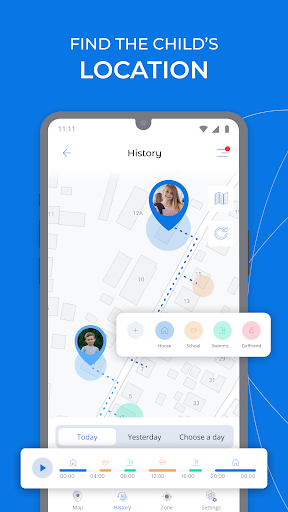
Real-Time Location Tracking for Child Security
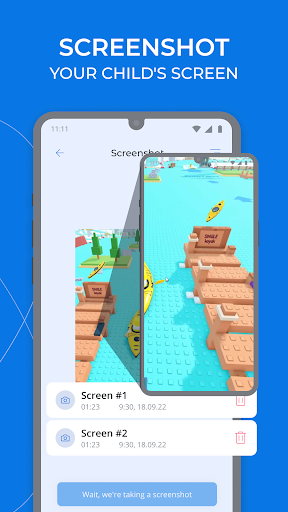
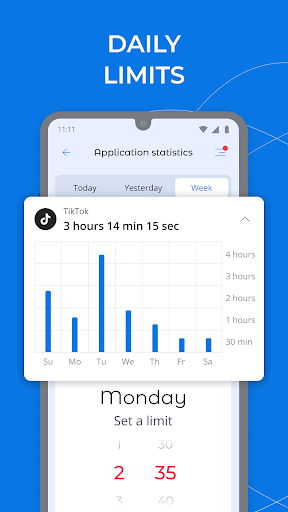
Manage Screen Time for Healthy Digital Habits
Lock Apps to Protect Child's Focus and Safety
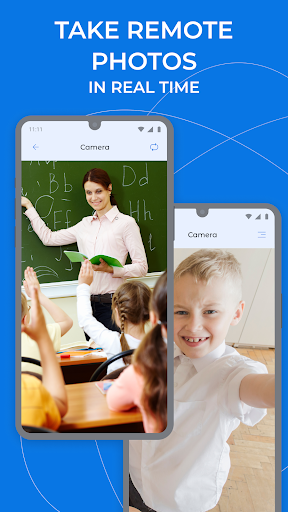
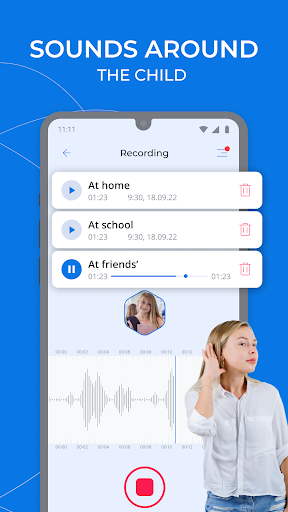
Monitor Surroundings via Camera and Audio
Filter Content for Safe Online Browsing
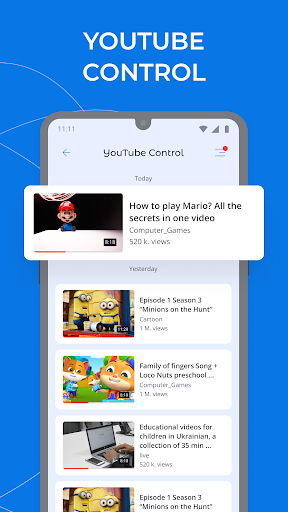
Track Social Media and Messaging Activities
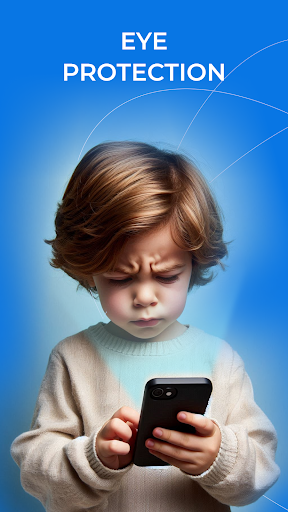
Protect Eyes and Sleep with Screen Mode Settings
Pros
- +User-friendly InterfaceThe app features an intuitive design that makes it easy for parents to set controls quickly.
- +Comprehensive Content FilteringIt effectively blocks inappropriate websites and app content, ensuring safe browsing for children.
- +Real-time MonitoringParents can monitor device activity live, providing immediate insights into usage habits.
- +Customizable RestrictionsAllows tailored settings for different age groups, such as gaming limits or social media access.
- +Remote ManagementEnables parents to adjust settings remotely via smartphone, offering convenience and flexibility.
Cons
- -Limited App CoverageSome popular apps may not be fully monitored or restricted, requiring manual adjustments.Medium
- -Occasional False PositivesContent filters may sometimes block harmless content, but this can often be resolved with feedback features.Low
- -Battery ConsumptionThe app can increase device battery drain due to constant monitoring; temporarily disabling certain features can help.Medium
- -Setup ComplexityInitial configuration may be slightly complex for non-tech-savvy users, but official tutorials are improving.Low
- -Limited Free FeaturesSome advanced controls require a premium subscription; users can evaluate features needed before upgrading.Low
FAQ
How do I install Parental Control - Kroha on my device?
Installing Parental Control - Kroha is straightforward, whether you're using an Android device or another platform. Since it's an Android app, you can find it on the Google Play Store by searching for its name. Once located, tap the install button and wait for the process to complete.
This launcher app offers an intuitive setup process, guiding you through the permissions needed for it to function effectively. After installation, you can customize the app features to suit your parenting needs, ensuring a safe digital environment for your children.
Is Parental Control - Kroha safe to use for monitoring my child's activity?
Yes, Parental Control - Kroha is designed with safety and privacy in mind, making it a trustworthy app-based solution for parents. It employs secure protocols and transparent data handling practices to protect your information.
Being an experienced Android app in the parenting category, it offers reliable app features that help you monitor your child's activity without invading their privacy. Always ensure you download it from trusted sources like the Google Play Store to avoid security issues.
Does Parental Control - Kroha work as a launcher app or require full device control?
Parental Control - Kroha functions primarily as a launcher app, giving you control over what your child can access on their device. It replaces the default launcher to restrict certain apps and features for a safer app experience.
This app-based solution is designed to be easy to use and effective, ensuring that your child's phone usage is supervised without complex setup. It helps create a controlled environment that supports healthier digital habits.
Can I customize the app features for different children or devices?
Absolutely, Parental Control - Kroha allows customization of app features to suit different children's needs or device types. You can set specific restrictions for each user, making it flexible for your family management.
Whether you're managing multiple devices or tailoring app experience for each child, this app offers the tools you need to create an effective parental control setup that promotes responsible usage.
How does Parental Control - Kroha enhance the app experience for parents?
Parental Control - Kroha provides an easy-to-use interface that simplifies managing your child's device. Its app features include time limits, app blocking, and activity monitoring—all designed to give parents peace of mind.
By focusing on a smooth app experience, it helps you stay informed about your child's digital activities while fostering responsible technology use. Trusted by many families, it truly embodies a convenient app-based solution for modern parenting challenges.





