
Notes, Notepad, To-Do Launcher
Boost productivity with Notes Launcher: Notepad, To-do app. Easy note-taking, task management, secure notes. Download now for free and stay organized!
Screenshots
Download Notes, Notepad, To-Do Launcher
You are going to be redirected to the official website to finish the download when you click the button below.
About Notes, Notepad, To-Do Launcher
Notes Launcher: Notepad, To-do is a versatile productivity Android app designed to help users stay organized and manage tasks efficiently. As a user-friendly launcher app, it combines note-taking and to-do list features within a simple interface, making it easy to access important notes and reminders whenever needed. Whether for personal use or professional planning, this app provides a seamless app experience that keeps your ideas and tasks organized in one convenient place.
Overview
Core Features
- The app features a clean and user-friendly interface that makes note-taking and task management effortless.
- It offers real-time sync across devices, ensuring your notes and to-do lists are always up-to-date.
- With customizable categories and tags, organizing your content becomes simple and efficient.
- The app includes an offline mode, allowing access to your notes without internet connectivity.
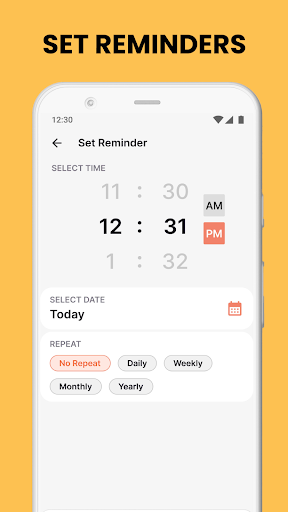
- It provides reminders and due date alerts to keep you on top of your tasks and deadlines.
- Seamless searching capabilities help you quickly find notes or checklists whenever needed.
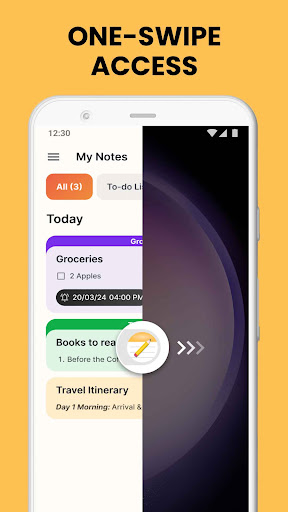
- The launcher app offers quick access to your favorite notes and tools directly from your home screen.
Who This App Is For
This mobile app is ideal for students, professionals, and anyone who needs a reliable app-based solution for organizing their daily activities. Its simple design appeals to users of all ages seeking efficiency and clarity.
Whether you want to jot down quick ideas, manage a busy schedule, or keep important information handy, this Android app delivers an intuitive app experience tailored for everyday productivity needs.
Why Choose This App
This app stands out thanks to its comprehensive app features that enhance productivity without sacrificing ease of use. Its smooth app experience and offline capabilities make it a dependable choice for those seeking a versatile launcher app.
Designed with efficiency and user satisfaction in mind, it offers a practical, app-based solution for managing notes, to-do lists, and reminders—simplifying your daily routine and helping you stay organized in any situation.
Features
Simplifies note and task management for better productivity
Offers seamless access and organization of notes and to-dos
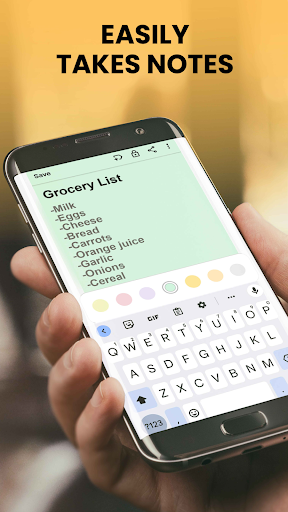
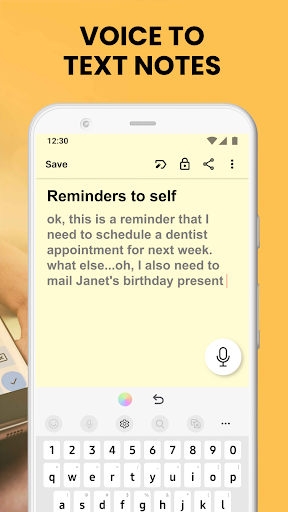
Quickly capture ideas and manage tasks effortlessly
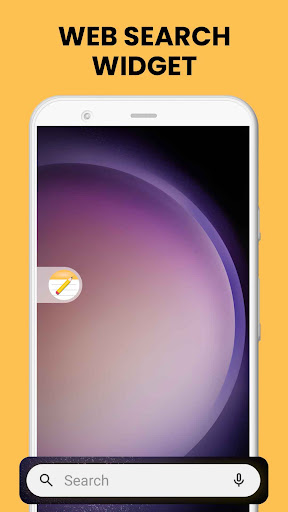
Provides customizable widgets and home screen shortcuts
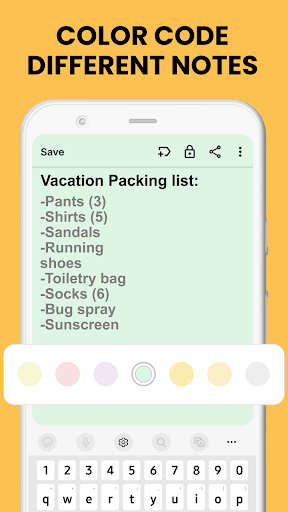
Enables color-coding and categorization for better organization
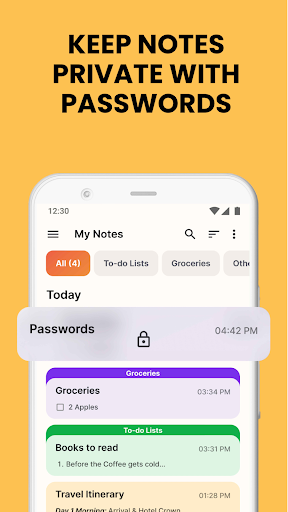
Secures private information with lock and encryption features
Supports rich-text editing and easy sharing options
Synchronizes data across devices for consistent access
Pros
- +Intuitive User InterfaceThe app features a clean and user-friendly design that makes note-taking and task management effortless.
- +Multi-functional Notes and To-Do ListsAllows users to seamlessly switch between notes and to-do lists within the same app, enhancing productivity.
- +Sync Across DevicesSupports synchronization, so your notes and tasks are accessible on multiple devices, improving flexibility.
- +Customization OptionsOffers themes and organizational tools like tags, helping users personalize their experience.
- +Lightweight and FastThe app has a minimal footprint, ensuring quick loading times and smooth performance.
Cons
- -Limited Advanced FeaturesLacks specialized options such as rich text formatting or file attachments, which may restrict advanced note-taking needs.medium
- -Basic Task ManagementTo-do lists are simple and do not support features like reminders or deadlines, possibly requiring third-party apps for complex tasks.low
- -Offline Functionality ConstraintsSome synchronization features may not work fully offline, but the app still allows basic note access.low
- -Customization LimitationsWhile themes are available, the app offers limited options for customizing layout or organization methods.low
- -No Cross-Platform IntegrationCurrently, it does not integrate with popular productivity tools like Google Calendar or Trello, but future updates may address this.medium
FAQ
How do I log into Notes Launcher: Notepad, To-do?
Logging into Notes Launcher: Notepad, To-do is simple. After installing the Android app, open it and create an account by entering your email or using social media options. This helps keep your data synced across devices.
Once logged in, you can start creating notes, to-do lists, and organize your tasks seamlessly. The app experience is designed to be user-friendly, making it easy for you to access your notes whenever needed.
Is Notes Launcher: Notepad, To-do safe to use on my Android device?
Yes, Notes Launcher: Notepad, To-do is a trusted Android app available on Google Play Store. It adheres to standard safety protocols to protect your personal data and privacy while offering a reliable app based solution for productivity.
Developed by reputable creators, this launcher app has received positive feedback from users who appreciate its security features and straightforward app features, ensuring a safe app experience for daily use.
Can I customize the app's interface?
Absolutely! Notes Launcher: Notepad, To-do provides a variety of customization options. You can change themes, organize your notes with different folders, and tailor the app features to suit your preferences, enhancing your overall app experience.
This flexibility makes it a great launcher app, offering a personalized touch while helping you stay productive. Customization helps you navigate the app more efficiently based on your daily routines.
What are the main app features of Notes Launcher: Notepad, To-do?
This app features include easy note-taking, task management, reminders, and checklist creation, all within a clean interface. It combines a notepad with a to-do list, making it a versatile app for personal productivity.
The app offers real-time synchronization across devices, quick access to notes, and simple editing tools. These features make it a practical app-based solution to keep your tasks organized and accessible.
Does this Android app support offline access?
Yes, Notes Launcher: Notepad, To-do supports offline access, so you can view and edit your notes anytime, even without an internet connection. Syncing will happen automatically once you reconnect to the internet.
This feature enhances your app experience by providing continuous access and ensuring your productivity isn't interrupted by connectivity issues, which is crucial for a reliable app based solution.