

My Library
My Library is the ultimate book management app. Scan barcodes, organize collections, and track reading stats. now for free and enjoy an ad-free experience.
Screenshots
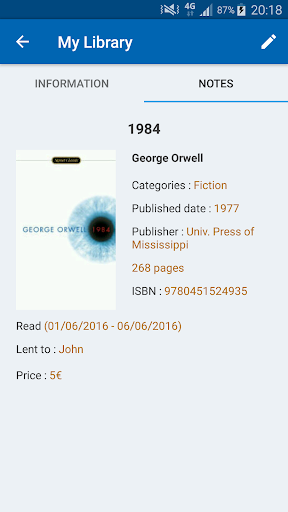
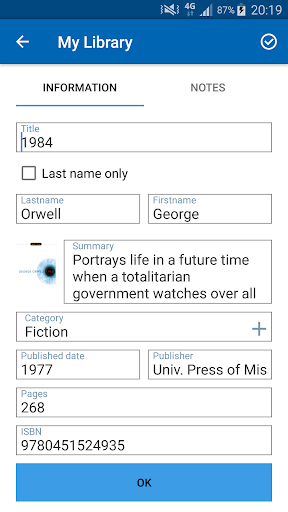
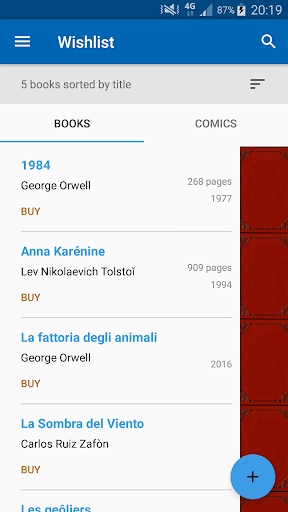
Download My Library
You are going to be redirected to the official website to finish the download when you click the button below.
About My Library
My Library is a productivity mobile app designed to help you effortlessly catalog and organize your book collection. Whether you prefer tracking physical books, e-books, or audiobooks, this Android app provides a simple way to manage your personal library with detailed metadata, lending tracking, and custom tags, making the entire app experience smooth and efficient.
Overview
Core Features
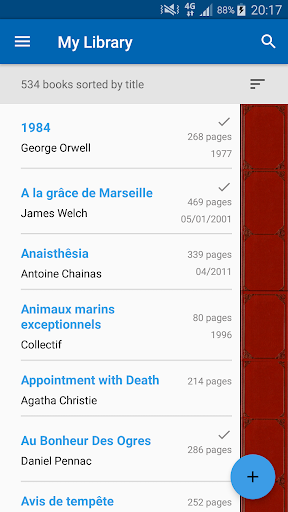
- Catalog every book, audiobook, and magazine in one organized digital library.
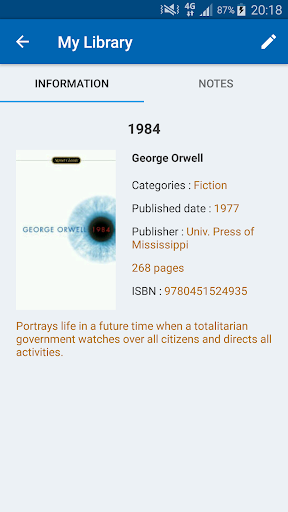
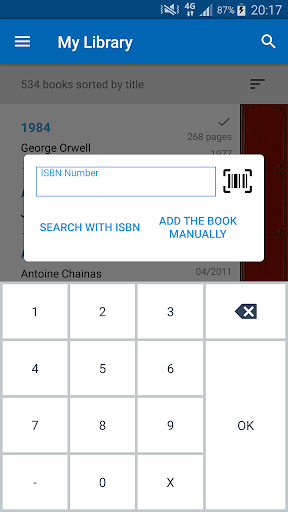
- Scan ISBN barcodes quickly to add titles with cover art and author details.
- Track reading progress, due dates, and lending history for borrowed items.
- Create custom shelves or tags to sort your collection by genre, mood, or priority.
- Offline access ensures your library is always available, even without an internet connection.
- Export and backup your data easily to keep your records safe across devices.
- The Android app features a clean, ad-free interface that keeps browsing fast and simple.
Who This App Is For
This mobile app is built for book lovers, students, and home librarians who want to tame a growing pile of titles without spreadsheets or sticky notes.
Use it to manage personal collections, track what you lend to friends, or keep a classroom reading list organized and always within reach.
Why Choose This App
Most organizers are bloated or confusing, but this app delivers a focused, app-based solution that gets out of your way. You get real control over your shelves and instant access to your data, no account required.
Unlike generic note tools, it is built specifically for books, so every app feature serves a purpose. It is fast, reliable, and respects your privacy, making it the smarter choice for serious collectors.
Features
Barcode scanner for instant book entry
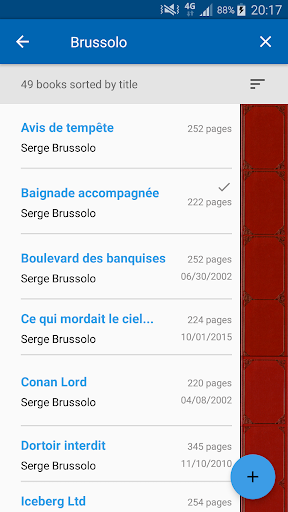
Smart search by ISBN or keyword
Manual entry for rare editions
Quick sort by title, author, or category
Detailed stats on reading habits
One-tap export library as file
Wishlist to save future reads
Multi-language support for global users
Pros
- +Superior offline catalogingMy Library lets you add books by ISBN or manual entry, and it works flawlessly offline, making it perfect for basement archives or plane rides without Wi-Fi.
- +Intuitive lending trackerTracking borrowed books is a breeze—tap 'Lend' on any title, and the app auto-reminds you when a friend's due date passes, which I found genuinely useful.
- +Rich metadata with cover artScanning a barcode pulls in high-res covers, publication details, and even synopsis blurbs automatically, saving me from typing out 50 entries manually.
- +Custom shelves and tagsYou can create unlimited custom shelves (e.g., 'Read 2023' or 'To Sell') and apply multi-tags, which makes sorting a 1,200-book collection feel effortless.
- +Lightweight and fastEven with 5,000 titles loaded, the app swipes smoothly and opens in under a second on my 3-year-old Android, with no noticeable battery drain.
Cons
- -Sync requires manual backupCloud sync isn't automatic—you must hit 'Backup' manually each time, and if you forget, you risk losing recent edits when switching devices. Impact: High.
- -Barcode scanner is finicky under low lightIn dim lighting, the camera scan often fails on glossy covers, requiring 2-3 tries; a torch toggle or better low-light algorithm would help. Impact: Medium.
- -No dark mode on the free tierThe free version is stuck with a bright white UI, which can be harsh during late-night reading sessions; the dark theme is locked behind a one-time Pro purchase. Impact: Low.
- -Series grouping is manualThe app doesn't auto-detect series order, so you have to create a custom shelf and sort manually—frustrating for a 12-book fantasy saga. Impact: Medium.
- -Limited export formatsYou can only export your library as CSV or a proprietary text file; there's no JSON or PDF option, which limits backup interoperability with other library tools. Impact: Low.
FAQ
Is My Library free to use on Android?
Yes, the My Library app is free to download and use on your Android device. You can start cataloging your books, movies, and music without paying anything upfront. The core functionality is available at no cost, making it a practical tool for anyone wanting to get their collection organized without spending money.
Do I need an account to use this app experience?
No, you don't need to create an account just to browse or add items to your personal library. You can start using the app features right away. However, if you want to back up your data to the cloud or sync your library across multiple devices, you'll need to set up a free account to save your information.
Can I scan barcodes to add items to My Library?
Absolutely. The barcode scanner is one of the handiest tools in this app based solution. You can use your phone's camera to scan the ISBN or UPC code on a book or DVD, and the app will automatically pull in the metadata. This saves a lot of time compared to typing in every detail by hand.
Is my collection data safe and private within this mobile app?
Your personal library data is kept private on your device unless you choose to enable cloud backup. If you do use the backup feature, your data is stored securely with encryption to protect it. The Android app does not sell your personal information, and you can export and delete your data whenever you want.
How often does My Library get updated with new app features?
The developers typically release updates every few months. These updates often focus on fixing bugs, improving the user interface, and adding new features based on user feedback. If you have the auto-update option enabled on your device, you'll automatically receive these improvements without having to manually check for new versions.
Can I lend items to friends and track them using this app?
Yes, tracking borrowed items is a core functionality of My Library. When you lend a book or game, you can log the person's name and the due date. This feature helps you keep track of who has your stuff and it can send you reminders when the loan period is up, which is a really useful and thoughtful touch.
If I switch phones, will I have to manually re-enter all my books?
Not at all. As long as you used the backup feature to save your data to the cloud, you can easily restore your entire collection on your new phone. This makes the app experience very smooth during a device transition. Simply log into your account on the new device, and your library will be right there waiting for you.
Does the launcher app integration work with My Library shortcuts?
Yes, My Library integrates smoothly with most standard launcher apps. You can create shortcuts to specific bookshelves or run quick searches directly from your home screen. This level of integration makes it quicker to access your catalog without having to open the full app every time you need to find something.





