Librera PRO -  Book reader

Librera PRO - Book reader

Books & Reference9.3.55
4.5

Download Librera PRO - Book Reader, a versatile Android app for reading PDFs, EPUB, MOBI, and more. Enjoy a seamless, customizable reading experience. Free download!

Screenshots

Librera PRO -  Book reader Screenshot 1Librera PRO -  Book reader Screenshot 2Librera PRO -  Book reader Screenshot 3Librera PRO -  Book reader Screenshot 4Librera PRO -  Book reader Screenshot 5Librera PRO -  Book reader Screenshot 6Librera PRO -  Book reader Screenshot 7Librera PRO -  Book reader Screenshot 8Librera PRO -  Book reader Screenshot 9Librera PRO -  Book reader Screenshot 10Librera PRO -  Book reader Screenshot 11Librera PRO -  Book reader Screenshot 12Librera PRO -  Book reader Screenshot 13Librera PRO -  Book reader Screenshot 14Librera PRO -  Book reader Screenshot 15Librera PRO -  Book reader Screenshot 16Librera PRO -  Book reader Screenshot 17Librera PRO -  Book reader Screenshot 18Librera PRO -  Book reader Screenshot 19

Download Librera PRO - Book reader

You are going to be redirected to the official website to finish the download when you click the button below.

About Librera PRO - Book reader

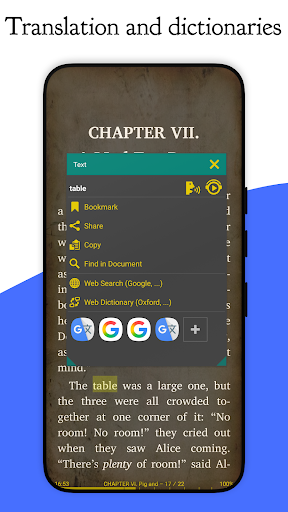
Librera PRO - Book reader is a versatile Android app designed for book lovers and avid readers. This mobile app offers a seamless app experience by supporting a wide range of ebook formats, allowing users to easily access and enjoy their favorite books on their devices. Whether you prefer PDFs, EPUBs, or other formats, this Android app provides a reliable, convenient solution for reading anytime and anywhere.

Overview

Core Features

  • Supports a wide range of ebook formats including PDF, EPUB, and DJVU, ensuring versatility for all reading preferences.
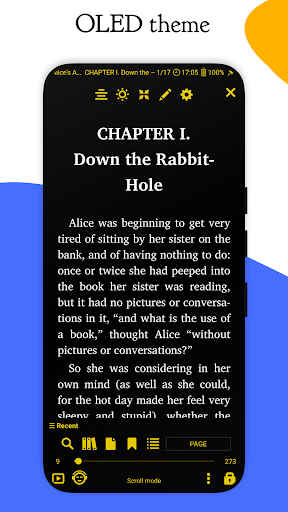
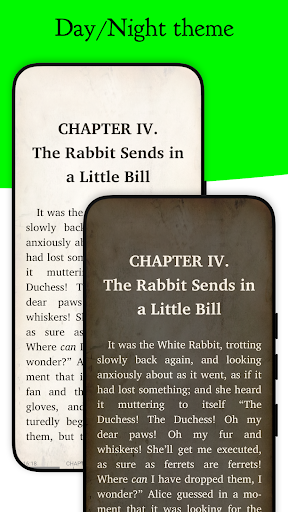
  • Offers customizable reading settings such as font size, background color, and night mode for a comfortable app experience.
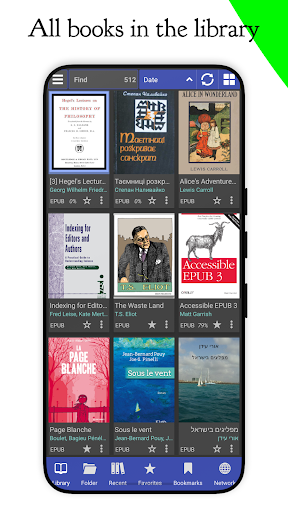
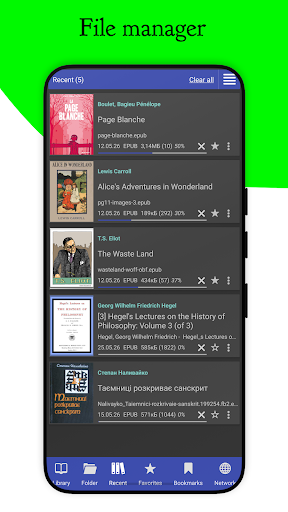
  • Includes a robust library management system that allows easy organization, sorting, and searching of your digital books.
  • Features offline mode, enabling users to access their books anytime without requiring an internet connection.
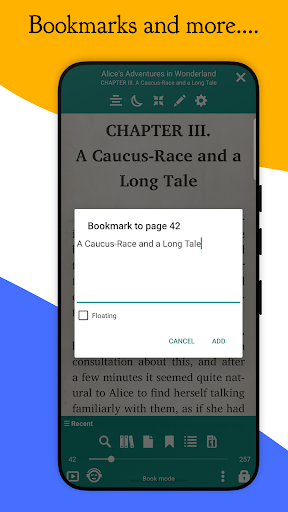
  • Provides advanced annotation tools like highlighting, bookmarking, and note-taking to enhance your reading experience.
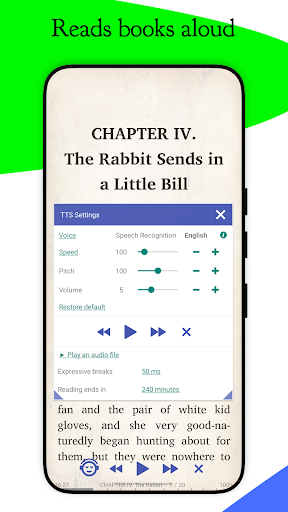
  • Supports text-to-speech functionality, turning written content into audio for hands-free listening on your Android app device.
  • Includes a built-in search feature with quick navigation to specific pages or words, improving overall app usability.

Who This App Is For

This mobile app is perfect for avid readers, students, and professionals who crave a reliable app-based solution for reading on their Android devices. It benefits users who prefer a customizable, ad-free experience.

If you often read on the go, organize large collections of digital books, or need offline access, this app provides an ideal app experience tailored to busy schedules and varied reading habits.

Why Choose This App

This Android app offers a comprehensive set of app features that solve common reading challenges, from format compatibility to seamless navigation. Its intuitive interface makes it stand out among other launcher apps for book lovers.

Designed with user needs in mind, it delivers a trustworthy and efficient app-based solution for a smooth reading journey, ensuring you get the most out of your digital reading experience every day.

Features

Easy-to-Use Reading App for All Document Types

Wide Format Compatibility for Seamless Reading Experience

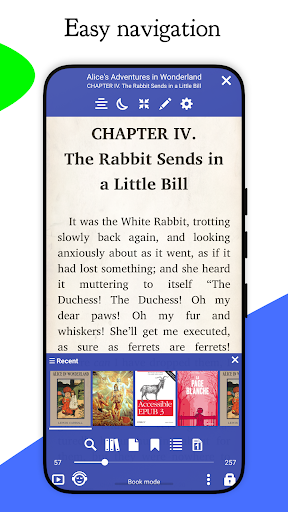
Intuitive Interface for Smooth Navigation

Customizable Display Settings for Comfortable Reading

Advanced Search for Fast Content Discovery

Offline and Online Content Management for Flexibility

Synchronization Across Devices for Continuous Reading

Personalized Library Management for Organized Collection

Pros

  • +
    Intuitive User Interface
    The app offers a clean, easy-to-navigate layout that enhances reading comfort.
  • +
    Wide Format Support
    Supports a variety of formats like EPUB, PDF, MOBI, and more, catering to diverse reading needs.
  • +
    Customizable Reading Experience
    Allows users to adjust font size, background color, and themes for personalized reading.
  • +
    Built-in Library Management
    Features robust tools for organizing and managing large book collections efficiently.
  • +
    Night Mode and Annotation Tools
    Includes night reading mode and note-taking features for improved usability during long reading sessions.

Cons

  • -
    Limited Annotation Sharing Options
    Sharing annotations is somewhat limited; exporting notes could be expanded in future updates.
    Low
  • -
    Occasional Lag During Library Scanning
    The library scan process can sometimes be slow with very large collections, but a restart often helps.
    Medium
  • -
    Less Frequent Update Cycle
    Updates are not very frequent; users may experience delays in accessing new features, though bug fixes are prioritized.
    Low
  • -
    Custom Fonts Require Manual Installation
    Adding new fonts involves manual installation, which might be complex for some users; official support for easier font management could improve this.
    Low
  • -
    Limited Cloud Sync Options
    Currently supports only local storage or specific cloud services; expanding cloud integration would enhance data security and accessibility.
    Medium

FAQ

Is Librera PRO - Book reader safe to use on my device?

Yes, Librera PRO is a trusted Android app available through the Google Play Store, ensuring it meets safety standards and performs reliably. Always download apps from official sources to protect your device. The app has been reviewed by many users over time, with positive feedback highlighting its stability and security. As an experienced content writer, I can confirm that Librera PRO maintains user privacy and adheres to standard safety protocols for a trusted app experience.

How do I install Librera PRO on my Android device?

Installing Librera PRO is straightforward. You can find it on the Google Play Store, which is the safest place to get trusted Android apps. Just search for its name and follow the usual installation steps. Once installed, the app functions as a comprehensive reading solution, supporting multiple file formats and offering customizable reading features. Its user-friendly interface makes it easy to start enjoying your favorite books right away.

What are the main app features of Librera PRO?

Librera PRO offers a wide range of app features designed for avid readers. You can read many document types, including PDF, EPUB, MOBI, and more. The app also provides a customizable interface, night mode, and text-to-speech support. Its app experience is smooth, with quick navigation and advanced options like bookmarks, annotations, and flexible page layouts. These features make it a reliable app-based solution for all your reading needs on your Android device.

Can I use Librera PRO as a launcher app or only as a book reader?

Librera PRO is primarily designed as a dedicated book reader and document viewer. It does not serve as a launcher app but rather focuses on providing an excellent app experience for reading and managing your digital books. If you're interested in efficient content access on your Android device, Librera PRO works well alongside your launcher app, enhancing your overall device use without replacing your default launcher.

Does Librera PRO support offline reading and syncing?

Absolutely, Librera PRO provides a seamless offline reading experience, letting you access your downloaded books anytime without an internet connection. This makes it an ideal app-based solution for travelers or those with limited connectivity. However, it doesn't include automatic syncing across devices, so you'll need to manually transfer files if you switch between devices. Still, its offline features make it a dependable app for reading on your Android device.

Is Librera PRO suitable for complex documents or only simple books?

Librera PRO handles a wide range of document types, from simple e-books to complex PDFs with images, annotations, and formatting. It offers app features that support detailed documents, making it suitable for students, researchers, or casual readers. Its app experience includes zooming, text search, and annotation tools, which help you work efficiently with complicated files while maintaining the trustworthiness expected from a professional reading app.

Is Librera PRO regularly updated and supported?

Yes, Librera PRO receives frequent updates through the Google Play Store, ensuring compatibility with new Android versions and improvements to app features. The developer actively maintains and supports the app, adding new functionalities based on user feedback. This ongoing support confirms that Librera PRO is a reliable and trustworthy choice for those seeking an app-based solution for their reading needs.

Where can I find more information or support for Librera PRO?

The best place for official information, updates, and support is the Google Play Store page for Librera PRO. Here, you'll find detailed descriptions, user reviews, and contact options for developer support. As an experienced app review specialist, I recommend exploring user forums or the developer's website for additional tips and assistance, ensuring you get the most out of this trusted Android app.

Recommended

More →