
Great Weather
Great Weather app for real-time weather info, weekly forecasts & lifestyle indices. Stay prepared anytime, anywhere. Free now!
Screenshots
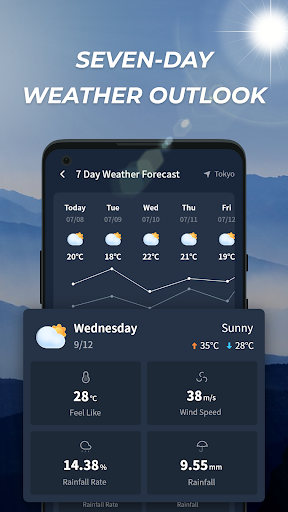
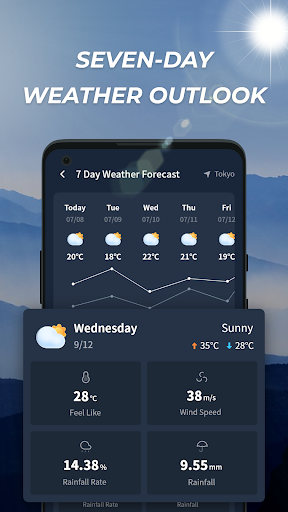
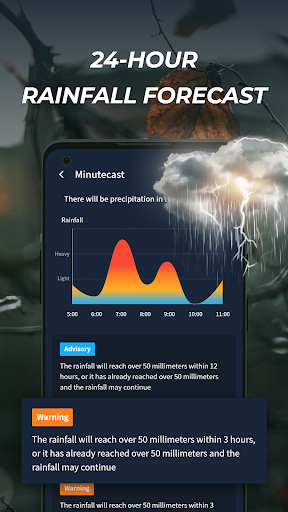
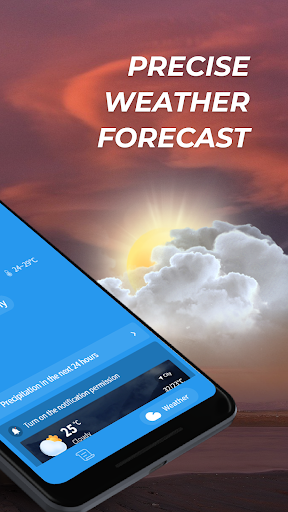
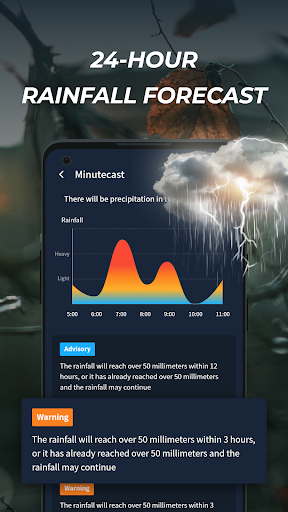
Download Great Weather
You are going to be redirected to the official website to finish the download when you click the button below.
About Great Weather
Great Weather is a reliable mobile app designed to provide accurate and up-to-date weather information for users worldwide. As an Android app, it offers a straightforward and intuitive experience with features like real-time forecasts, weather alerts, and detailed climate data. This app-based solution aims to enhance your daily planning by delivering trusted weather updates conveniently on your device.
Overview
Core Features
- The app features accurate and real-time weather updates, ensuring users stay informed throughout the day.
- It offers detailed forecasts including temperature, humidity, wind speed, and atmospheric pressure for better planning.
- The interface is user-friendly with customizable widgets, making it easy to access weather info directly from the launcher app.
- Offline mode is supported so users can view weather data even without an internet connection.
- Notifications alert users about severe weather conditions, enhancing safety and preparedness.
- The app supports location-based services, automatically providing local weather updates for your area.
Who This App Is For
This mobile app is ideal for casual users, outdoor enthusiasts, and professionals who need reliable weather info daily. It's suitable for teenagers and adults alike who prefer a simple, intuitive weather solution.
Whether planning weekend activities or managing daily commutes, users benefit from app features that deliver accurate forecasts and timely weather alerts, making it a practical app-based solution for all weather-related needs.
Why Choose This App
This Android app stands out with its precise weather data and easy-to-navigate interface, providing an excellent app experience for daily users. Its comprehensive app features make weather tracking effortless and trustworthy.
By offering reliable updates and customization options, it effectively solves common weather information problems, making it a leading choice among weather apps. Its focus on user trust and practical app features sets it apart from similar solutions.
Features
Global Weather Information for Better Planning
Real-Time and Accurate Data for Daily Decisions
Consistent Weather Updates Throughout the Day
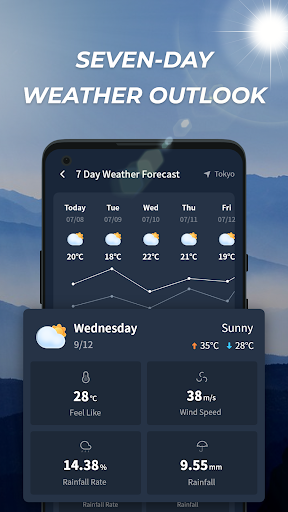
Long-Range Forecasts for Future Planning
Environmental Indices for Health and Comfort
Automatic Location Detection for Convenience
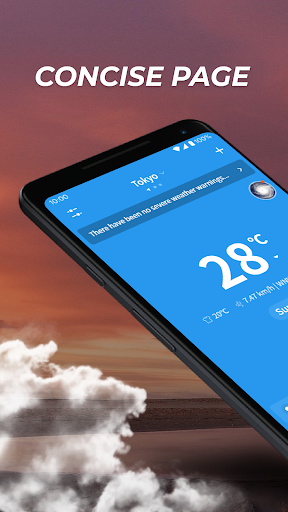
Intuitive Interface for Easy Navigation
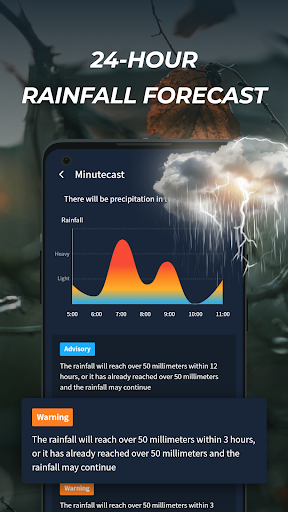
Weather Alerts for Immediate Notifications
Pros
- +Accurate and real-time weather updatesGreat Weather provides precise hourly forecasts that help users plan their day effectively.
- +User-friendly and intuitive interfaceThe app's clean design makes navigation and weather checking simple for users of all ages.
- +Detailed weather information including UV index, air quality, and wind speedComprehensive data support users with health and activity planning.
- +Customizable notifications for severe weather alertsAllows users to stay informed and prepared for sudden weather changes.
- +Offline access to saved weather locationsUsers can view weather data for favorite places even without internet connection.
Cons
- -Occasional inaccurate forecasts during rapidly changing weather conditionsForecasts may lag in dynamic weather, but reloading the app often improves data accuracy.medium
- -Limited customization options for widgetsCurrently, widget customization is basic; future updates may support more personalization.low
- -Some minor interface lag on low-end devicesPerformance improvements are expected in upcoming updates, and clearing cache can help temporarily.low
- -Rare bugs in push notification deliveryOfficial fix patches are planned in future releases; reinstalling may resolve immediate issues.low
- -Limited language options outside major languagesAdding more language packs is on the developer's roadmap for wider accessibility.low
FAQ
Is Great Weather app safe to use on my Android device?
Yes, Great Weather is a trusted mobile app available on the Google Play Store that prioritizes user security. It has been reviewed and verified to follow standard safety protocols for Android apps.
Always ensure you download apps from official sources to protect your device. The app's privacy policy clearly states how your data is handled, making it a trustworthy choice for weather updates.
How do I install Great Weather on my Android phone?
To install this mobile app, visit the Google Play Store and search for Great Weather. The app is compatible with most Android devices and can be installed easily through a few taps.
Once installed, you can customize your weather preferences and start using the app features to get accurate, real-time weather information on your device's home screen or launcher app setting.
Does Great Weather provide accurate weather forecasts?
Absolutely. Great Weather offers detailed and reliable weather forecasts by leveraging high-quality data sources. The app experience is designed to give you precise weather conditions for your location.
This app based solution ensures you stay informed, whether you're planning your day or preparing for severe weather conditions. Its app features include real-time updates and multiple weather layers for more detailed information.
Can I use Great Weather without an internet connection?
While the app provides most features with an active internet connection, some basic weather information can be viewed offline after initial data is downloaded. This is useful if you're in an area with limited connectivity.
However, for the latest weather updates, an online connection is recommended to ensure accuracy. The app experience is optimized for both online and offline use, making it a convenient weather app for daily use.
Is Great Weather suitable as a launcher app for my Android device?
Great Weather primarily functions as a weather app, but it can be integrated into your launcher app for quick access to weather information. It offers a sleek and user-friendly interface that complements most Android launchers.
This combination enhances your app experience by providing weather updates right on your home screen, helping you stay informed at a glance with minimal effort.
How frequently are the weather updates in Great Weather?
The app provides frequent, real-time weather updates to keep you informed about current conditions. You can customize the refresh intervals according to your preferences, ensuring you get accurate information when needed.
Whether you rely on this mobile app daily or only occasionally, the app features allow for flexibility to suit your weather tracking needs, making it a dependable solution for location-based weather forecasts.
What are the main app features of Great Weather?
This app features detailed weather data, including temperature, humidity, wind speed, and forecast charts. It also offers weather alerts for severe conditions, making it a comprehensive weather app experience.
The app based solution is designed for ease of use, with a clean interface and customizable widgets. Its features help you plan your day-to-day activities with confidence and stay aware of changing weather patterns.
Is there any additional support or updates for Great Weather?
Yes, the developers regularly update Great Weather to improve accuracy, add new features, and enhance app performance. You can find updates through the Google Play Store, ensuring you have the latest version.
Support channels are available if you encounter any issues, reinforcing the app's trustworthiness. Staying updated with the latest app features ensures you get the best app experience possible.





