
aiMail - Al Email Accounts
aiMail - All Email Accounts app for efficient, secure email management. Consolidate your inboxes, use AI features. Free now!
Screenshots
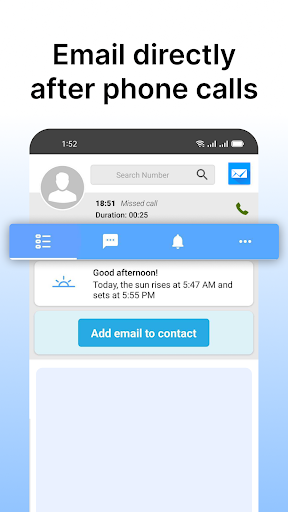
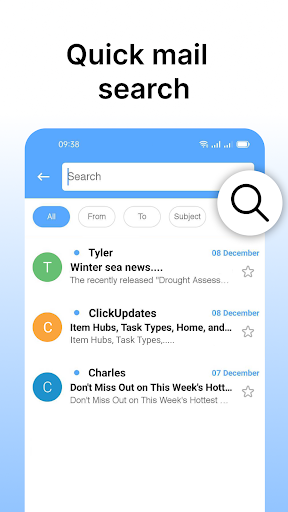
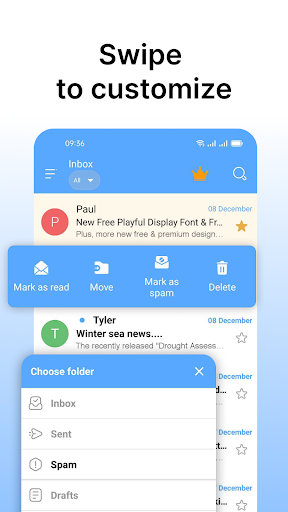
Download aiMail - Al Email Accounts
You are going to be redirected to the official website to finish the download when you click the button below.
About aiMail - Al Email Accounts
aiMail - Al Email Accounts is a reliable communication tool designed for users who need quick and secure access to their email accounts. This user-friendly Android app offers a seamless app experience by simplifying email management, making it an essential mobile app for staying connected on the go. Its primary purpose is to provide a streamlined solution for managing multiple email accounts efficiently within one platform.
Overview
Core Features
- The app features a secure login system that simplifies access to multiple email accounts from a single interface.
- Real-time sync ensures your emails and contacts are always up-to-date across devices, enhancing your app experience.
- Offline mode allows users to read and compose emails without an internet connection, making it reliable anytime.
- Advanced filtering and search capabilities help users find important emails quickly and efficiently.
- The app offers customizable notifications and integration options, streamlining communication management on your Android app.
- Built-in security measures protect your data, establishing trustworthiness and reliability for daily use.
- The intuitive launcher app interface makes it easy for users to navigate and access app features effortlessly.
Who This App Is For
This mobile app is ideal for professionals, students, or anyone managing multiple email accounts frequently on their Android device. It caters to users who need a dependable communication tool that enhances productivity.
It's perfect for those seeking an app-based solution to keep their emails organized, whether for work, personal use, or both, providing a seamless app experience across everyday scenarios.
Why Choose This App
This Android app stands out by offering comprehensive app features that combine security, convenience, and ease of use. It provides an app-based solution that simplifies email management efficiently.
With its user-friendly interface and robust performance, it solves common email handling problems, making it a trustworthy choice for anyone looking for a reliable communication app.
Features
Enhanced Email Management for Increased Productivity
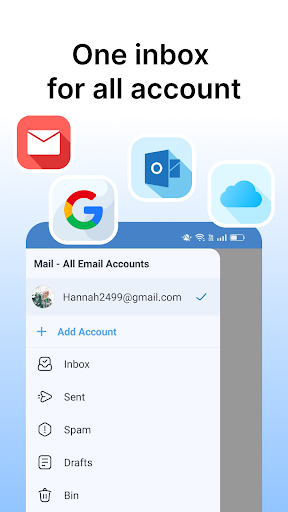
All-in-One Mailbox for Seamless Communication
Unified Inbox for Multiple Account Access
Smart Search and Organization Tools
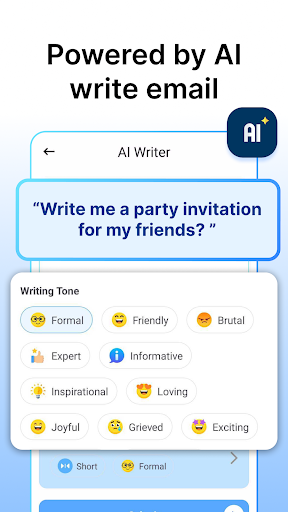
AI-Powered Email Assistance for Effortless Writing
Quick Setup for Faster Access
Customizable Notifications for Important Messages
Secure Data Protection for Peace of Mind
Pros
- +Enhanced productivity through quick AI-generated email responsesaiMail enables users to automate routine email replies, saving time and increasing efficiency.
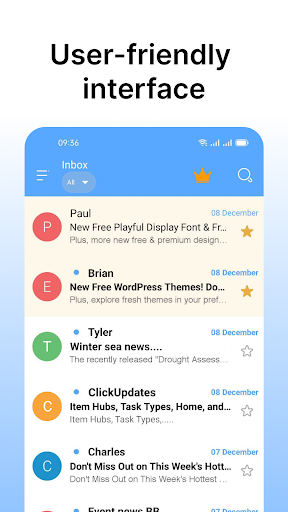
- +User-friendly interface suitable for non-technical usersThe app features an intuitive design that makes managing AI email accounts straightforward for all users.
- +Multi-account management for seamless email handlingSupports multiple AI email accounts, allowing users to organize communications effectively.
- +Strong privacy and data security measuresEmploys encryption and strict privacy policies to protect user data during email processing.
- +Integration with popular email services and platformsEasily connects with Gmail, Outlook, and other major email providers for broad compatibility.
Cons
- -Limited customization options for AI responsesCurrently, users cannot extensively personalize AI-generated replies beyond set templates, which may reduce flexibility.Medium
- -Occasional delays in AI reply generationSome users report slight lag when processing complex or lengthy emails; official updates aim to optimize speed.Medium
- -Restricted free usage with limited daily emailsThe free plan offers only a limited number of AI-generated replies per day; upgrading may be necessary for heavy users.Low
- -Language support primarily focused on EnglishMainly optimized for English, with limited functionality for other languages; future versions are expected to broaden support.Low
- -No offline access to AI featuresRequires internet connection to function; offline mode is planned for future releases to improve reliability.Low
FAQ
How do I create an account with aiMail - Al Email Accounts?
Getting started with aiMail - Al Email Accounts is straightforward. Simply open the app on your Android device and follow the on-screen instructions to set up your account. The app features an intuitive interface that guides you through each step.
This mobile app is designed to offer a smooth experience, making it easy even for beginners to create and manage email accounts. The app's user-friendly design ensures you can get your email services up and running quickly and efficiently.
Is aiMail - Al Email Accounts safe to use?
Yes, aiMail - Al Email Accounts prioritizes user safety by implementing robust security measures. Your email data is protected using encryption protocols, ensuring your privacy is maintained at all times.
As an Android app, it also follows the latest safety standards, giving you peace of mind while managing your email accounts. Always ensure you download the app from trusted sources to avoid security issues.
Can I use aiMail - Al Email Accounts on multiple devices?
This app experience is designed to be synchronized across devices, allowing you to access your email accounts seamlessly from various Android devices. The app features enable easy syncing so you won't lose your data.
If you're looking for an app based solution that works well on your Android launcher app, aiMail offers a reliable experience across multiple devices, making email management more flexible and convenient.
What are the main app features of aiMail - Al Email Accounts?
aiMail - Al Email Accounts offers a range of useful app features, including multiple account management, smart filtering, and quick search capabilities. The app is built to enhance your overall app experience by providing intuitive navigation and fast performance.
Designed for users who need a reliable launcher app for email management, this mobile app combines simplicity with powerful functionalities, making it a top choice for those seeking an efficient app based solution.
How do I update aiMail - Al Email Accounts?
To ensure you have the latest app features and improvements, updates are available through the Google Play Store for your Android app. Simply check for updates in your device's app settings or Google Play app.
Keeping your app updated is vital for security and optimal performance. Since quality app experience depends on the latest version, regularly updating your aiMail app is highly recommended.